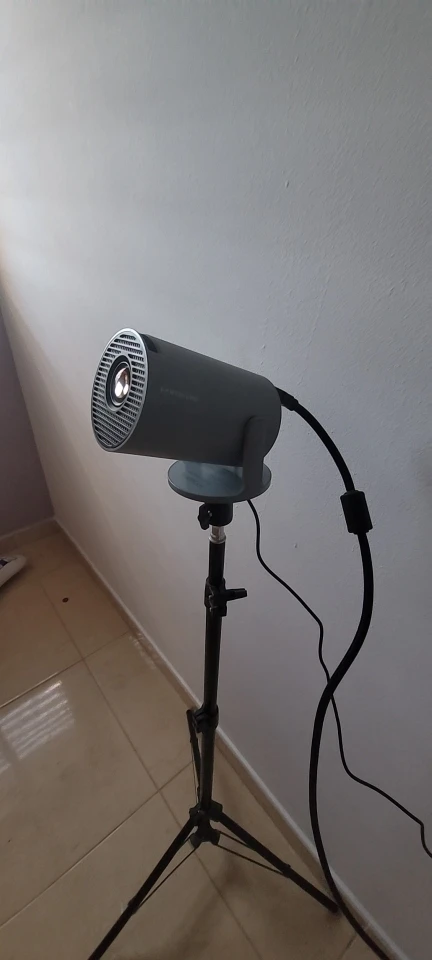
Magcubic HY300 Pro: 8K Smart Android 14 Projector with 180° Rotation
White Bag Lens / UK Plug
Sale price
£62.99
Regular price
£92.99
Skip to product information


Magcubic HY300 Pro: 8K Smart Android 14 Projector with 180° Rotation
Sale price
£62.99
Regular price
£92.99
Elevate your entertainment with the Magcubic HY300 Pro, the ultimate 8K-supported home cinema projector. Running on the latest Android 14 and powered by the high-performance Allwinner H726 chip, this portable powerhouse delivers stunning visuals with 290 ANSI lumens of brightness. Whether you're hosting an outdoor movie night or transforming your bedroom into a theater, the native 720P (1080P/8K compatible) resolution ensures crystal-clear imagery.
Equipped with Dual WiFi 6 for lag-free streaming and Bluetooth 5.4 for seamless audio pairing, the HY300 Pro is designed for the modern smart home. Its unique 180° rotatable design allows you to project onto walls, floors, or even the ceiling without extra stands. Compact, quiet, and incredibly versatile, this outdoor projetor is the perfect blend of portability and premium performance.
+2
Key Benefits
-
Android 14 Ecosystem: Stream directly from Netflix, YouTube, and Disney+ with a smooth, tablet-like interface.
-
180° Flexible Projection: The rotatable body makes it the "ceiling projector" king—watch movies while lying flat in bed.
-
Next-Gen Connectivity: Dual-Band WiFi 6 ensures 4K and 8K content streams without buffering.
-
Smart Auto-Correction: Features automatic vertical keystone correction to keep your screen perfectly squared.
-
Portable & Powerful: Small enough to fit in a backpack but capable of projecting up to a 130-inch screen.
-
Upgraded Brightness: The 290 ANSI lumens provide 50% more vibrance than the standard HY300 model.
How to Use
-
Power On & Position: Plug the device into a power source and use the 180° hinge to point it at your desired surface (wall or ceiling).
-
Focus & Keystone: Use the manual focus wheel on the lens to sharpen the image. The Auto-Keystone feature will automatically fix vertical distortion.
+1
-
Connect to Network: Go to Settings > Network and connect to your WiFi 6 router for the fastest speeds.
-
Pair Audio: Access Bluetooth Settings to pair your favorite external speakers or headphones for a true cinema sound experience.
-
Start Streaming: Open the pre-installed apps or download new ones from the Google Play Store to begin watching.